Telehealth for Patients | pMD
Telehealth designed for non-tech savvy users with a focus on easy onboarding
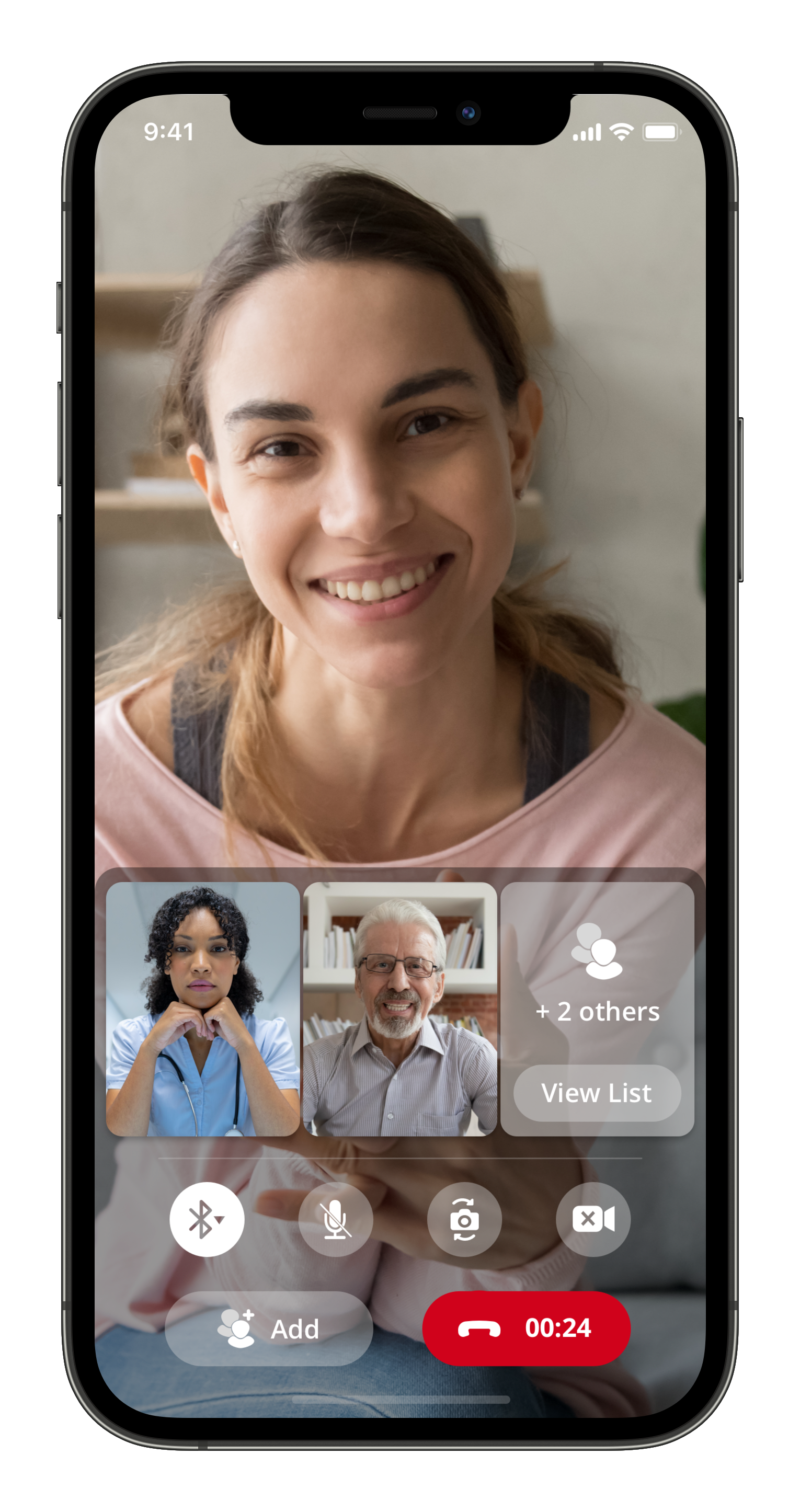
How did we create a telehealth experience that is easy for all users to use?
I conducted user interviews with pMD's customer base of physicians and healthcare groups to answer this question. I discovered that many of their patients were wary of using telehealth software because it was often cumbersome to set up and difficult to navigate. The vast majority of our physician users had patients that were unfamiliar with smartphones. At the same time, I wanted to ensure we didn't bog down the tech savvy. One of the biggest hurdles for both user groups was having remember yet another complicated password.
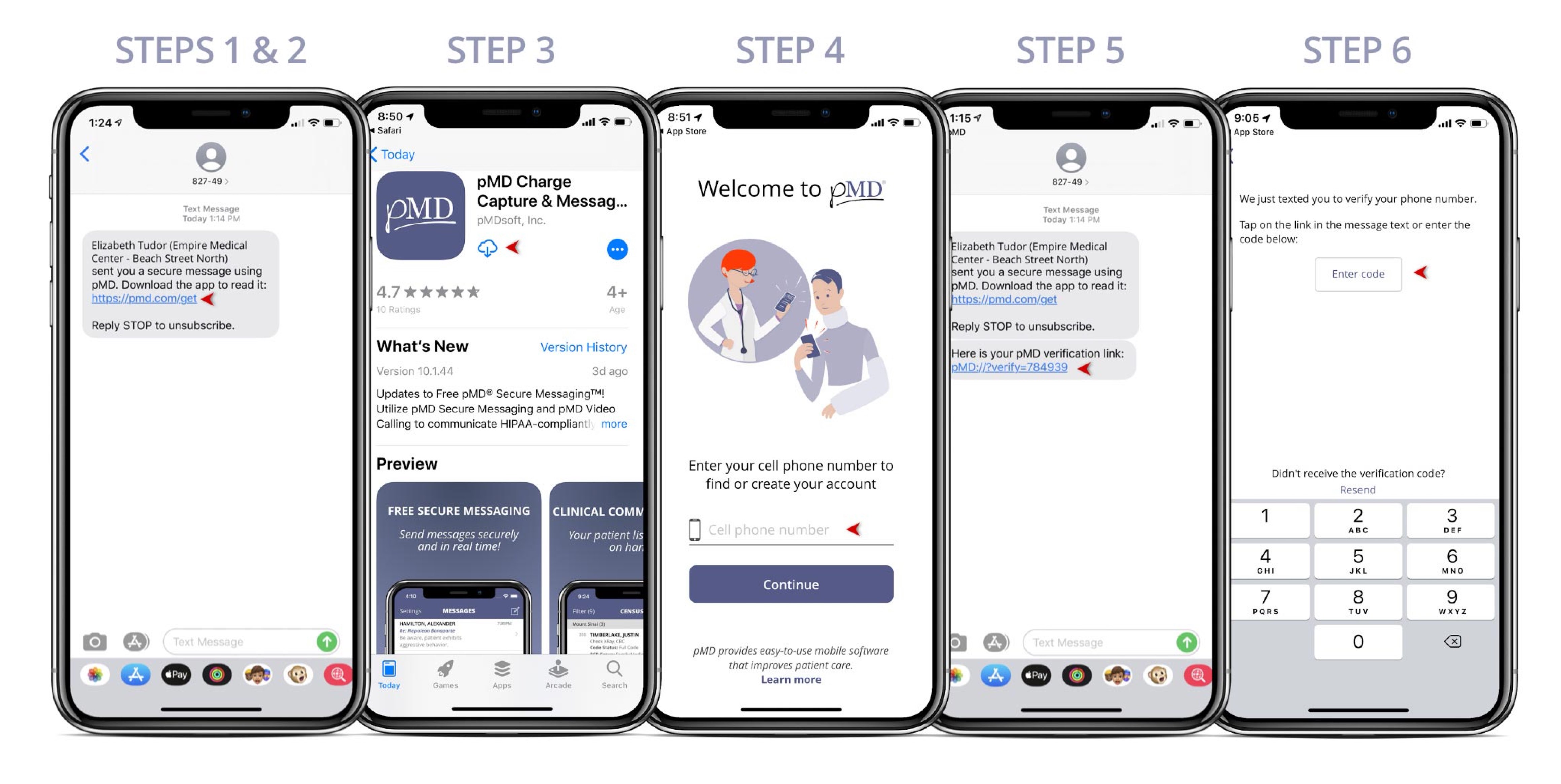
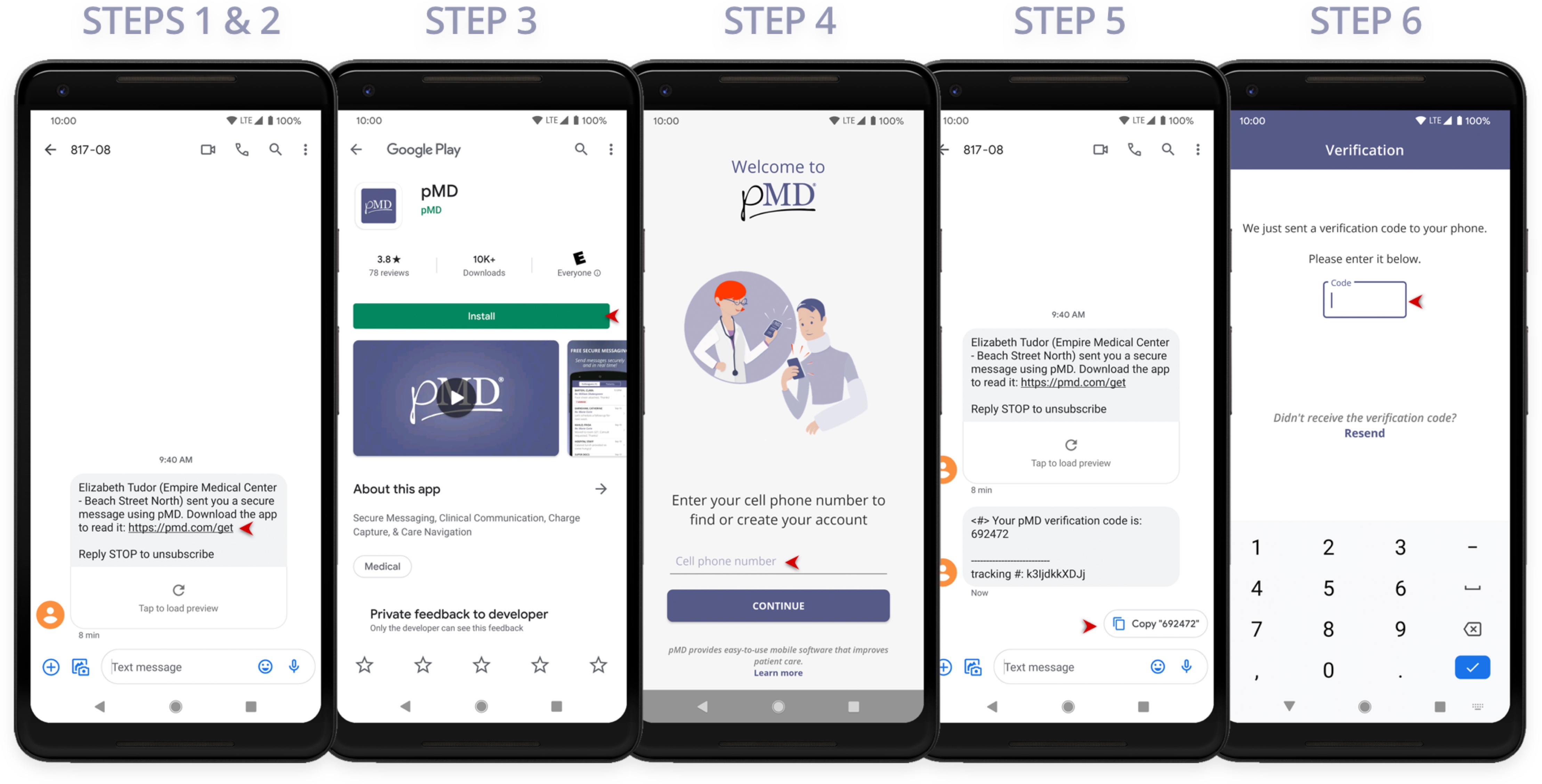
The solution after user testing was to default to SMS text for identity verification and login. By using SMS text links, we would ensure patients were directed to the correct app in the App Store and did not have to memorize a password for login. In addition to using SMS text for login, we also built in support for biometric security, which offered another easy way of logging in that didn't rely on remembering a password.
What other challenges did our patient users face?
The next challenge was tackling user onboarding after the app was installed. After initial release of the app, we discovered much of our technical support cases were coming from patients with issues around seeing and hearing the doctor. I joined the customer team in answering patient technical support calls to research the cause. By talking directly with the end user, I found the issues were around the camera and microphone permissions in the app.
To address the issues patients were having with the camera and mic I stacked the permission dialogs to trigger automatically after initial login, which ensured all patient users were able to see and hear the doctor upon the first login. The other tweak was to repeat SMS invites and reminders until the patient completed setup, which led to reduced patient support before telehealth appointments.
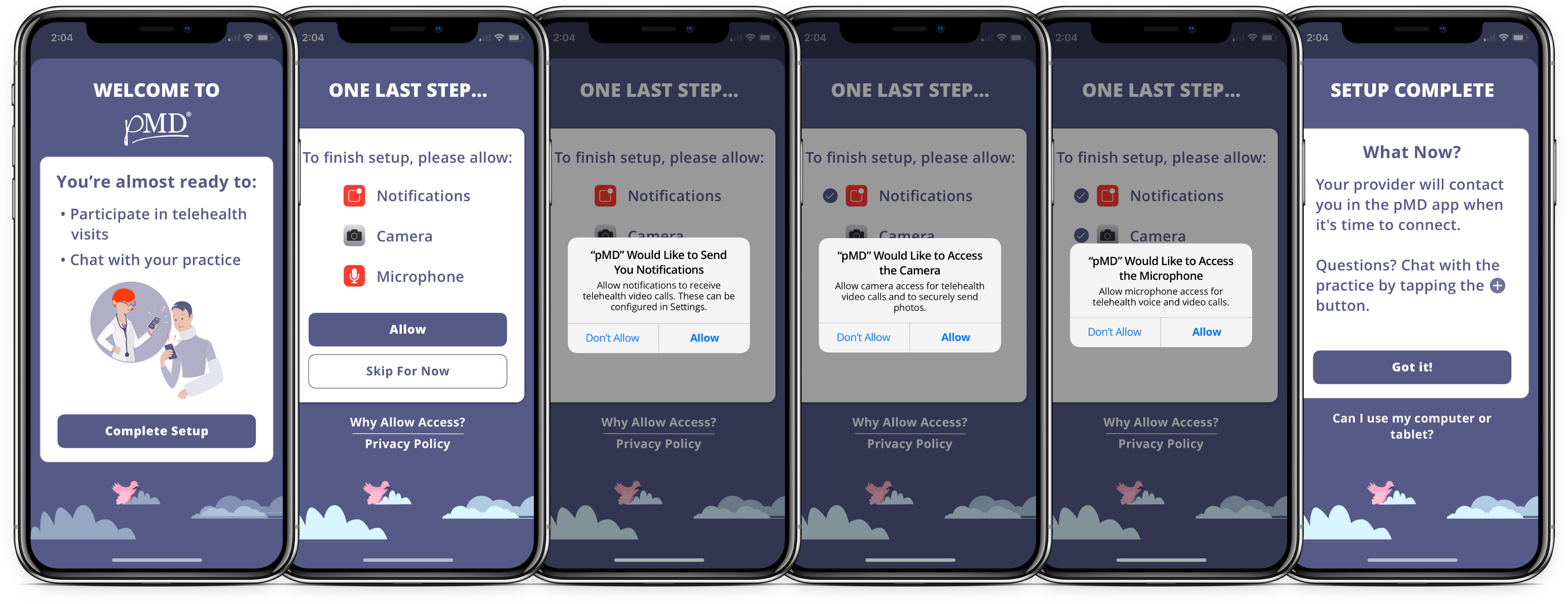
Patients also called the pMD support team about next steps after completing setup. This was a more straightforward fix that involved adding prompts for actions that patients could take in the app and also a way to perform a test video call.
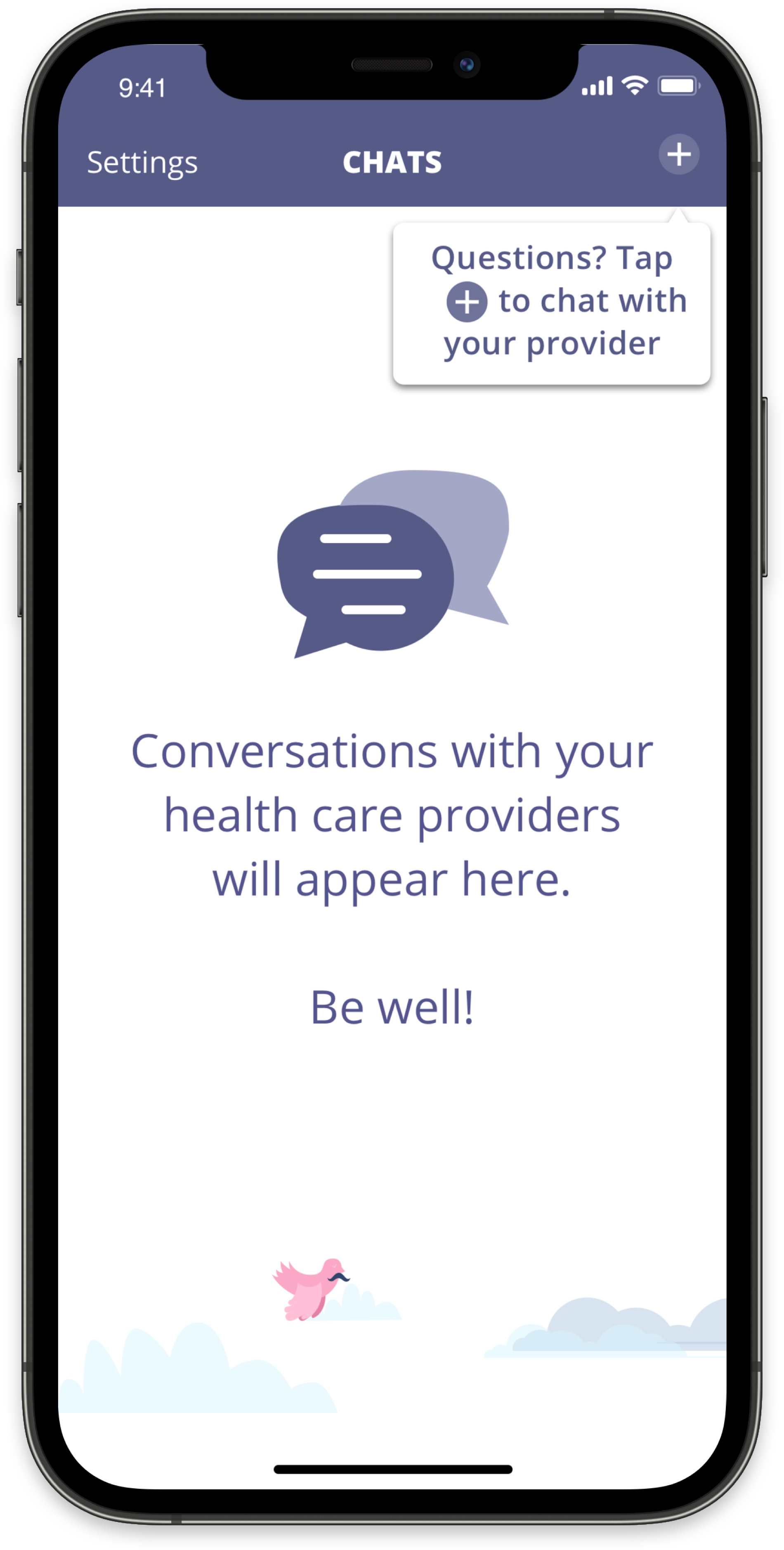
Last of all, patients wanted the ability to reach back out their practices in case of questions around rescheduling or treatment plans. We addressed this ask by designing a chat routing feature that enabled patients to message practices and routing the message to the correct medical team.
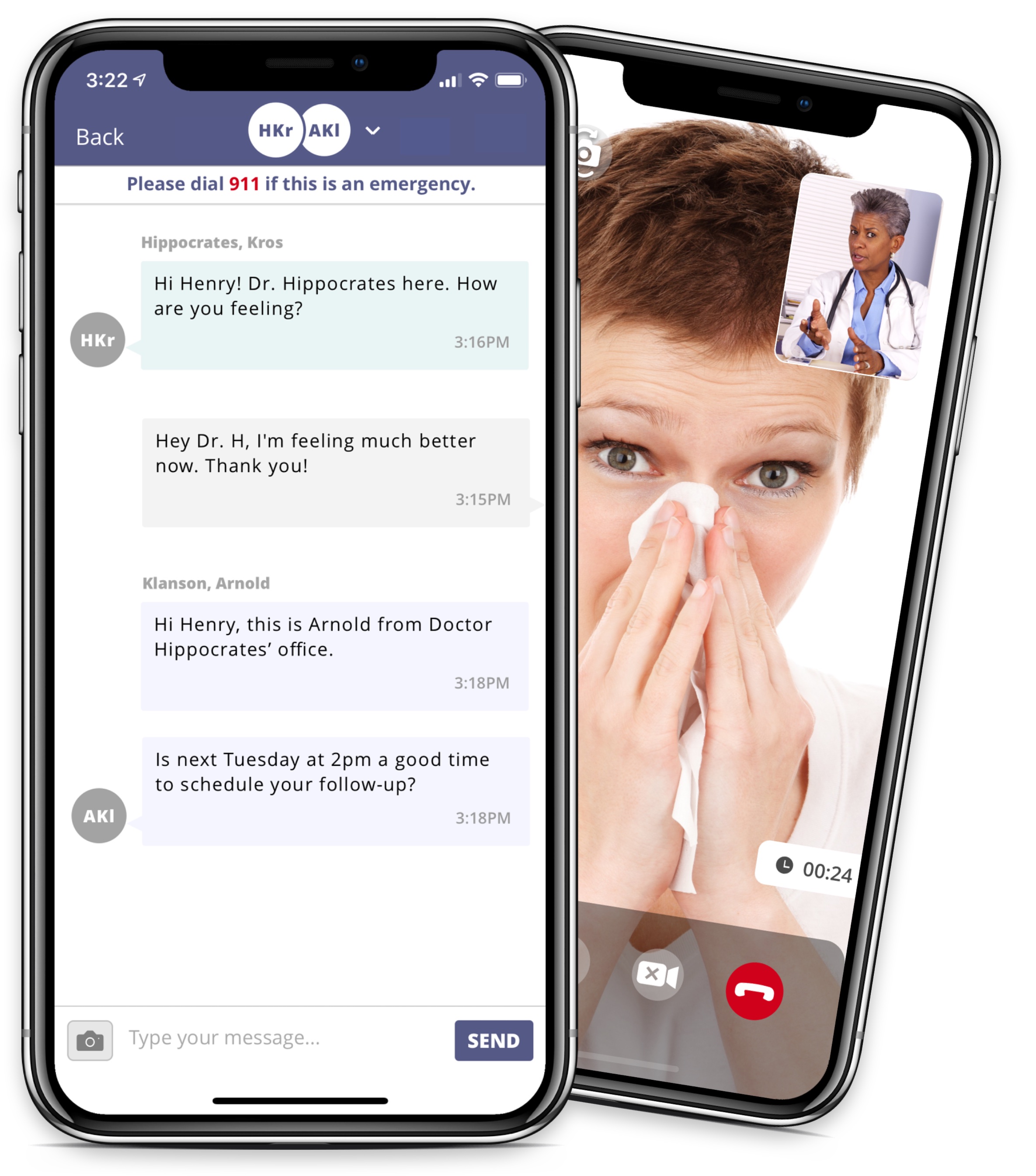
It's called a design cycle for a reason!
The design process doesn't stop after the product has hit the market. I continue listening directly to patients and doctors by joining the support team on shifts, which provides me with a fresh perspective every time someone new calls us. The result is a never-ending feedback cycle that continues to motivate me to improve my designs and in turn, improve the lives of the users.